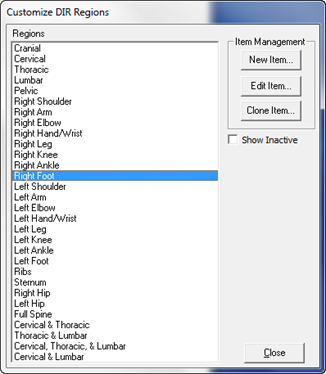
The DIR Regions is a list of the body areas being examined. It may be a single Region or a combination of Regions.
Click on DIR Regions in the Customize Menu. The Customize DIR Regions window (figure 11) opens.
Figure 11
On the right are 3 buttons: New Item, Edit Item and Clone Item, as well as a checkbox to Show Inactive. The left side displays all the Regions that are currently in the DIR, and will add in the Inactive items as soon as the Show Inactive is checked. The DIR Regions are listed in the order in which they were entered.