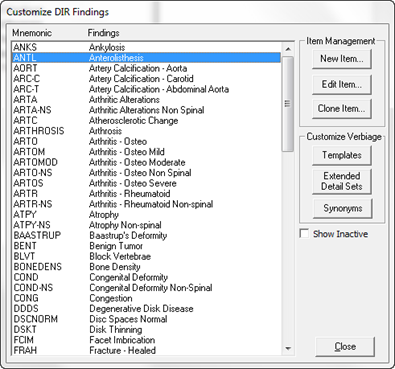
The DIR Findings section is where the Templates and Verbiage are created to make the DIR generate text in the ideal manner for the practice. Open the section by clicking on DIR Findings from the Customize window. This opens the Customize DIR Findings window (figure 5).
Figure 5
The Customize DIR Findings window displays the Title of each Finding, its Mnemonic, and the various buttons to create, manage and customize each Finding.
Before entering a new DIR Finding in ChiroPadEMR, place a check in the Show Inactive box located on the right side of the window under the buttons, and check this list to see if the item needed is already in the program. Remember to use the scroll bar on the right side of the box. If the needed Finding appears on the list, simply edit it to make it Active again.