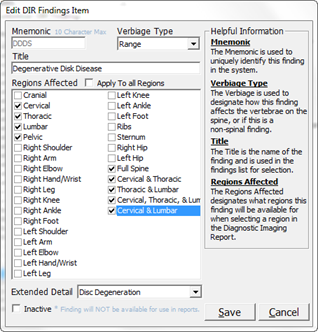
On the Customize DIR Finding window, click on the Edit button. This opens the Edit DIR Findings Item window which has all the data entered for the Finding (figure 7). As can be seen, this window is the same as the New DIR Finding Item window. The only item that can NOT be edited is the Mnemonic. Edit or modify any entry that is necessary, and then click the Save icon.
Figure 7