In this Customization section, Imaging Views may be added, edited or deleted from ChiroPadEMR. The creation and editing of this section enable the Title (name) of each View, the Region of the body it applies to, and its Active/Inactive Status.
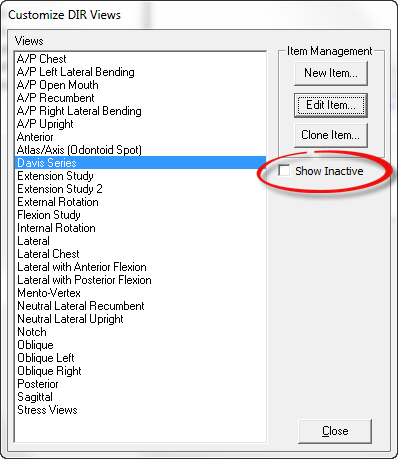
Click on DIR Views in the Customize Menu. The Customize DIR Views window (figure 2) opens. On the right are 3 buttons: New Item, Edit Item and Clone Item, as well as a checkbox to Show Inactive. The left side displays all the Active Views that are currently in the DIR, and will add in the Inactive items as soon as the Show Inactive is checked. The DIR Views are listed alphabetically by Title.
Before entering a new DIR View in ChiroPadEMR, place a check in the Show Inactive box and check this list to see if the item needed is already in the program. Remember to use the scroll bar on the right side of the box. If the needed View appears on the list, simply edit it to make it Active.
Figure 2
ChiroPadEMR arrives in the practice with many DIR Views in the system