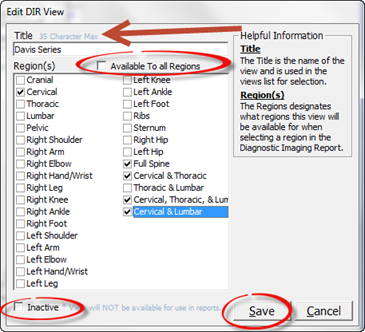
Editing a DIR View is easy. Click on the DIR VIEW to be edited in order to highlight it. Next, click on the Edit Item button. This opens the Edit DIR View pop up window (figure 4).
Figure 4
Once the Edit Existing Test pop up is open, the Title, Regions and/or Active/Inactive Status may each be changed. After completing the edit, click Save to complete the changes and close the pop up window.