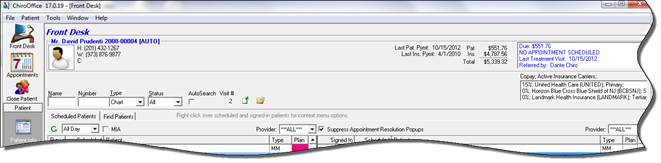
When the patient account is open on the Front Desk window, the Patient Header Bar displays a variety of information about the patient (figure 13).
Figure 13
•On the upper left, the display shows
•Patient name, chart number and account type
•A picture, either a male/female icon or a picture of the patient
•The patient’s home, work and cell phone numbers
•
•On the upper right, there is the
•Last Patient Payment date
•Last Insurance Payment date
•Patient Balance
•Insurance Balance
•Total Balance
•
•In the box at the far right, the display lists
•The outstanding patient balance, which is repeated (an emphasis for collections)
•The Next Appointment or a message that there is no appointment scheduled
•The last visit date
•Who/what referred the patient into the practice
•If it is within 14 days of the patient’s birthday, a birthday notice replaces the referred by item
•
•The lower box on the right shows the patient’s active insurance carriers and the copay amount required by each.