In order to produce a specific Letter for an individual patient, it is necessary to have that patient’s account open. This can be done from either ChiroOffice or ChiroPadEMR.
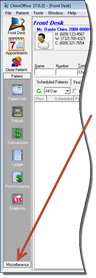
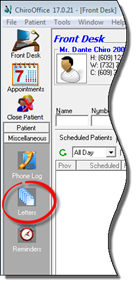
In ChiroOffice (figure 1), with the patient’s account open, click on the Miscellaneous button in the lower left corner. Then select the Letters icon.
Figure 1
In ChiroPadEMR (figure 2), with the patient’s account open, click on the Documents icon. When the Documents window opens, click on the Letters tab.
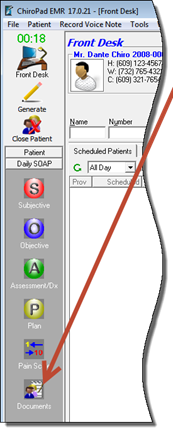
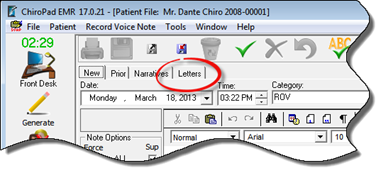
Figure 2
Once the Letters window is open, it will be easy to see the similarities between ChiroOffice and ChiroPadEMR windows (figure 3).
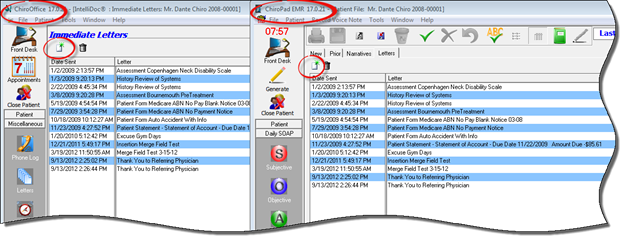
Figure 3
Click the New icon to access the list of Letters that are available (figure 4). The Letters list includes all the letters, documents, and forms that may be needed in the practice. To view and/or edit the template for any Letter, open SmartPad as discussed in the previous chapter. Any template that was added to the Letters directory in SmartPad is automatically added to this list and is available for use. The list is displayed in alphabetical order. Use the scroll bar at the bottom of the window to see the rest of the items on the list.
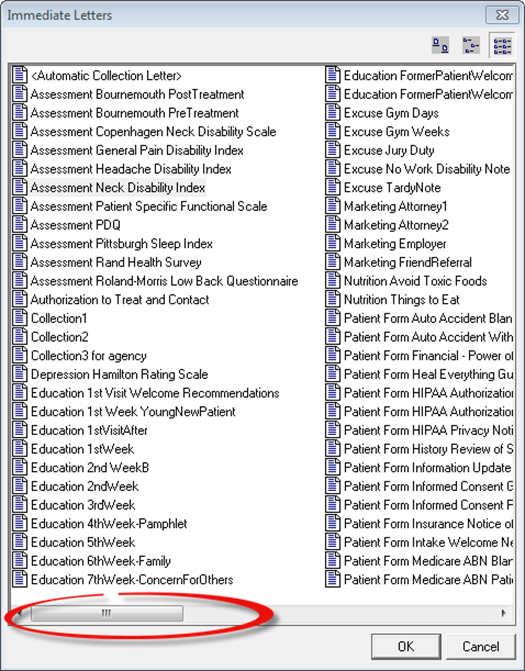
Figure 4
Select the desired Letter by clicking on it to highlight it, and then click OK. Alternatively, double click the chosen Letter. The Printer popup appears (figure 5). Verify that the correct printer has been selected and click the Print button.
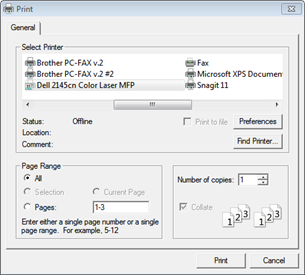
Figure 5
The selected item prints immediately. Depending on what it is, it could be handed to the patient or mailed. If it was “printed” into a PDF format, then it can be attached to an email. If it was printed to a fax program, it can be faxed wherever it needs to go.
As soon as the Print button is clicked, the ChiroSuiteEHR system logs a record of the Letter that was printed. This log is saved in the patient file (figure 3). Note that the Letter log does NOT include a copy of the Letter that was printed, only the record that it was done.