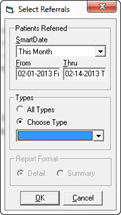
ChiroSuiteEHR provides the key to which marketing is working for the practice, and which is not. This is in the form of the Income Referral Report. From the Tools menu, click Reports and select the General section. In the General group, click on Income Referral Report. There will be a pop up filter (figure 8) that gives the ability to select any date range for the report. In the same pop up, there is the option to run the report for only 1 Referral Source.
Figure 8
To generate the complete report, select the dates and set the Types to All Types. This will activate the Report Format section allowing the choice of either Detail or Summary.
The Summary Income Referral Report that is generated displays only the Referral Type and the amount of income it produced (figure 9).

Figure 9
The Detail Income Referral Report includes a breakdown within each Referral Source showing the patients that came from that category and specifically who/what brought them into the practice (figure 10).
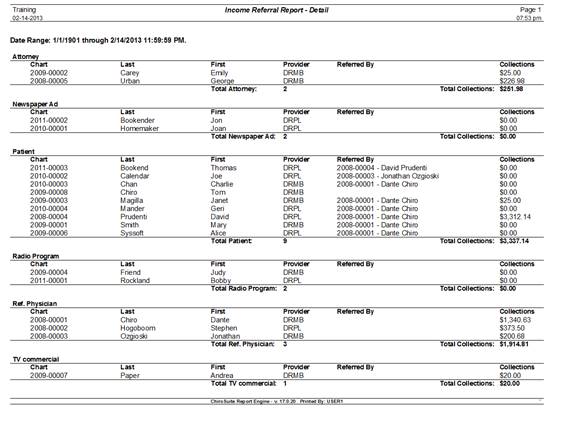
Figure 10
With this data, the practice can easily determine what marketing is working and what is not. This report clearly shows the referral source and the amount of income generated by that source.