
In order to edit or review an existing template, click on the Open Icon (figure 3) that is just to the right of the New Icon.
Figure 3
The Template Selection Box appears (figure 4). It appears differently in Windows 7 and Windows XP.
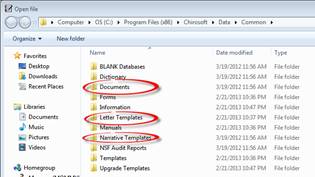
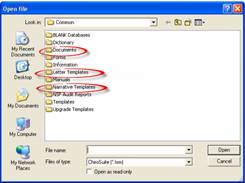
Windows 7 Format Windows XP Format
Figure 4
SmartPad may open to the last template section that was being worked on. If this is the case, at the top of the Template Selection Box, to the right of the word “Common”, there will be the name of the section that is now open, Documents, Letter Templates, or Narrative Templates. Depending upon what is being created or edited, it may be necessary to change to a different section. In Windows 7 click on the word “Common”; in Windows XP, click on the yellow file with the up arrow. The Common Directory will be displayed allowing the selection of a different section. Double click on the section to open it. The files/templates in that section are listed. Double click a file to open it for review or editing.